
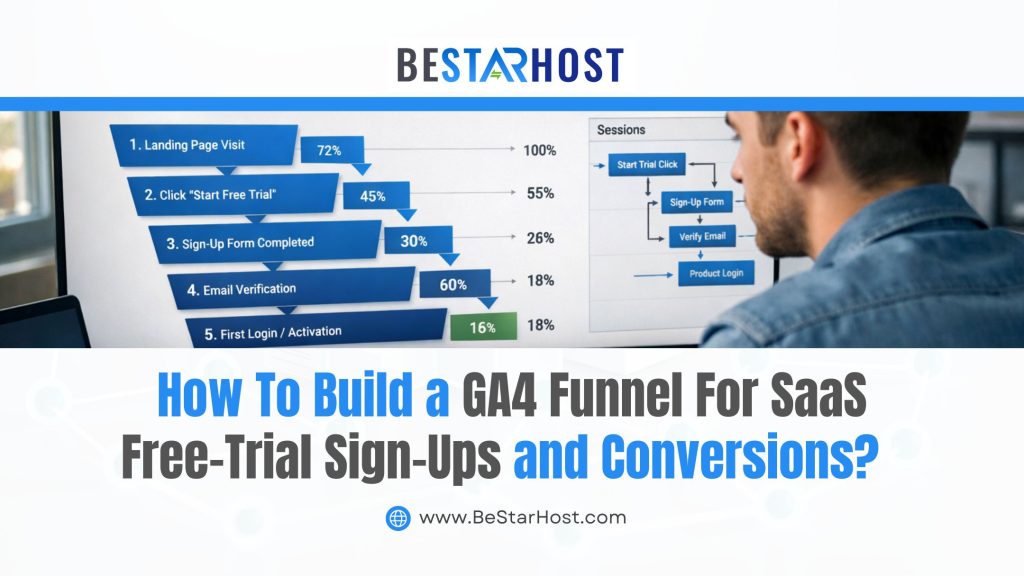
For SaaS businesses, free trials are the backbone of growth. But simply offering a free trial is not enough—you need to measure how users move through the funnel, where they drop off, and what actions lead to paid conversions.
This is where GA4 funnel tracking for SaaS becomes essential.
Google Analytics 4 (GA4) uses an event-based model, which makes it powerful—but also confusing—for tracking SaaS free trials correctly. In this guide, we’ll walk through a complete GA4 funnel setup guide to help you track free trial sign ups in GA4, analyze behavior, and optimize conversions.
Why GA4 Funnel Tracking Is Critical for SaaS Businesses
Traditional Universal Analytics relied heavily on pageviews. GA4, however, focuses on user actions, making it ideal for SaaS products where behavior matters more than pages.
With a GA4 conversion funnel for SaaS, you can:
-
Identify where users drop off before starting a free trial
-
Measure activation milestones during the trial period
-
Track trial-to-paid conversions accurately
-
Optimize onboarding and product-led growth strategies
Without proper SaaS free trial conversion tracking, you’re making decisions blindly.
Step 1: Define Your SaaS Free Trial Funnel
Before touching GA4, you need clarity on your funnel stages.
Example SaaS Free Trial Funnel
-
Landing page visit
-
Pricing page view
-
Free trial sign-up started
-
Free trial completed
-
Product activation (key feature used)
-
Subscription purchased
Each step should be measurable via GA4 events.
Step 2: Set Up GA4 Events for Free Trial Tracking
GA4 does not track funnels automatically—you must define events.
Key Events to Track
| Funnel Stage | GA4 Event Name |
|---|---|
| Free trial started | free_trial_start |
| Form submitted | sign_up_complete |
| Trial activated | trial_activated |
| Subscription purchased | purchase |
How to Create Events in GA4
-
Go to Admin → Events
-
Click Create Event
-
Use existing parameters (e.g.,
event_name = page_view) -
Rename to a meaningful event like
free_trial_start
This ensures accurate SaaS free trial conversion tracking.
Step 3: Mark Free Trial Events as Conversions
GA4 requires manual conversion setup.
Steps to Mark Conversions
-
Navigate to Admin → Conversions
-
Click New Conversion Event
-
Enter:
-
free_trial_start -
purchase
-
Now GA4 will treat these actions as conversion events in your SaaS funnel.
Step 4: Build a GA4 Funnel Exploration
This is where the real magic happens.
How to Create a Funnel in GA4
-
Go to Explore → Funnel Exploration
-
Click Create New Exploration
-
Add funnel steps:
-
Step 1:
page_view(Landing Page) -
Step 2:
pricing_page_view -
Step 3:
free_trial_start -
Step 4:
trial_activated -
Step 5:
purchase
-
You now have a GA4 conversion funnel for SaaS with visual drop-offs.
Step 5: Analyze Drop-Offs & Optimize Conversion Rates
Once your GA4 funnel tracking for SaaS is live, analyze:
-
Where users abandon the funnel
-
Which traffic sources convert best
-
Which onboarding actions improve activation
Optimization Ideas
-
Reduce form fields on trial sign-up
-
Add social proof near CTAs
-
Improve onboarding emails
-
Highlight “aha moments” faster
Data-driven decisions lead to higher trial-to-paid conversions.
Step 6: Segment Funnel Data by User Type
GA4 allows advanced segmentation.
Segment by:
-
Device type
-
Country
-
Traffic source
-
Returning vs new users
This helps you understand which users are most likely to convert and refine your GA4 funnel setup guide strategy.
Common Mistakes in SaaS GA4 Funnel Tracking
Avoid these pitfalls:
-
Not tracking activation events
-
Forgetting to mark conversions
-
Tracking page views instead of actions
-
Ignoring trial behavior data
Proper setup ensures accurate track free trial sign ups in GA4 reporting.
Building a GA4 funnel for SaaS free trial sign-ups and conversions is not optional anymore—it’s a growth necessity.
With the right event tracking, funnel setup, and optimization strategy, GA4 becomes your most powerful tool for scaling SaaS revenue.
If you want expert help with GA4 setup, SaaS analytics, or hosting optimized for performance, BeStarHost.com provides reliable infrastructure to support data-driven growth.