
Most Linux distributions ship with kernel defaults calibrated for general-purpose use — a balance that works fine for a desktop or a lightly loaded VM, but leaves real performance on the table for a dedicated server running high-concurrency network services, databases, or latency-sensitive applications. Linux kernel tuning closes that gap: the hardware doesn’t change, but how the kernel manages network connections, memory, and file descriptors under load absolutely does.
This guide covers the sysctl optimization settings that actually matter for production workloads, practical TCP tuning for high-connection-count servers, and where server optimization has diminishing returns compared to just fixing the underlying infrastructure. If your workload is network-heavy, it’s worth reading alongside our breakdown of WebSockets vs REST APIs infrastructure requirements, since connection-heavy real-time workloads are exactly where kernel-level tuning has the most impact.
A Word of Caution Before Touching Any of This
Kernel tuning is high-leverage but not risk-free. Every setting below should be changed one at a time, benchmarked under realistic load, and tested with a rollback plan — not copy-pasted wholesale from a blog post (including this one) into a production `/etc/sysctl.conf`. Defaults exist because they’re safe for the broadest range of workloads; the values here are starting points for specific, identifiable bottlenecks, not universal upgrades.
Network Stack Tuning
For servers handling high connection volume — API backends, reverse proxies, real-time services — the network stack is usually where tuning pays off fastest:
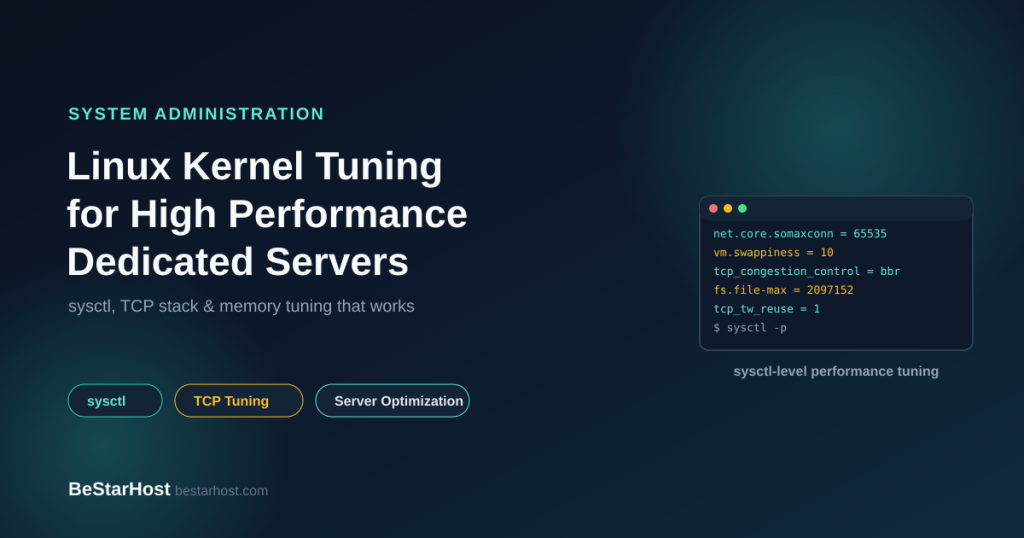
- net.core.somaxconn — controls the maximum length of the pending connection queue. The default (often 128 or 4096 depending on distribution) is frequently too low for servers accepting bursts of concurrent connections; raising it prevents the kernel from silently dropping connection attempts during traffic spikes.
- net.ipv4.tcp_max_syn_backlog — the queue for half-open (SYN-received) connections. Under high connection rates or SYN flood conditions, an undersized backlog causes legitimate connection attempts to be dropped alongside malicious ones.
- net.ipv4.tcp_tw_reuse — allows reusing sockets in TIME_WAIT state for new outgoing connections. Valuable on servers that open large numbers of short-lived outbound connections, where TIME_WAIT socket accumulation can otherwise exhaust the available port range.
- net.ipv4.tcp_fin_timeout — how long a socket stays in FIN_WAIT_2 before being cleaned up. Lowering this from the default frees up resources faster on servers churning through large numbers of short connections, at the cost of being slightly less tolerant of very slow clients.
- net.core.rmem_max / net.core.wmem_max and net.ipv4.tcp_rmem / tcp_wmem — maximum socket buffer sizes. Servers handling high-throughput or high-latency (long round-trip-time) connections benefit from larger buffers; undersized buffers cap throughput regardless of available bandwidth.
- net.ipv4.tcp_congestion_control — the algorithm governing how TCP responds to congestion. BBR, where available, often outperforms the traditional CUBIC algorithm on connections with real-world packet loss or variable latency, particularly over longer network paths.
These settings matter most for exactly the persistent-connection workloads discussed in our WebSockets vs REST APIs guide — a socket server holding tens of thousands of open connections lives or dies by these numbers far more than a typical stateless REST API does.
File Descriptor and Connection Limits
Linux caps the number of open file descriptors per process by default, and every open socket, file, or pipe consumes one. High-concurrency servers hit this ceiling long before they run out of CPU or memory if it isn’t explicitly raised:
- fs.file-max — the system-wide limit on open file descriptors across all processes.
- Per-process limits (ulimit -n) — set via `/etc/security/limits.conf` or systemd unit `LimitNOFILE` directives; the system-wide `fs.file-max` doesn’t help if the specific process’s own limit is still low.
- net.ipv4.ip_local_port_range — the range of ephemeral ports available for outbound connections. Servers making large numbers of outbound connections (proxies, API gateways) can exhaust the default range under load; widening it delays port exhaustion.
Memory Management Tuning
Memory-related kernel settings affect both raw performance and how predictably a server behaves under memory pressure:
- vm.swappiness — controls how aggressively the kernel swaps memory pages to disk versus reclaiming page cache. On servers with adequate RAM, lowering swappiness keeps active data in memory longer rather than swapping prematurely — particularly relevant for database workloads like those discussed in our PostgreSQL HA guide, where unexpected swapping directly increases query latency.
- vm.dirty_ratio and vm.dirty_background_ratio — govern how much dirty (unwritten) page cache accumulates before the kernel forces writes to disk. Poorly tuned values cause either excessive small writes (hurting throughput) or large write bursts that stall I/O (hurting latency) — the right balance depends heavily on underlying storage speed, which is why NVMe storage changes what “correctly tuned” even looks like compared to spinning disk.
- Transparent Huge Pages (THP) — can help or hurt depending on workload. Some databases and applications benefit from THP; others (notably several database engines under specific access patterns) perform measurably worse with it enabled and explicitly recommend disabling it. Check application-specific guidance rather than assuming either setting is universally correct.
- vm.overcommit_memory — controls how strictly the kernel enforces memory allocation limits. Workloads that fork large processes (like Redis, discussed in our Redis vs Memcached comparison) often need overcommit enabled to allow background save operations to fork safely without allocation failures.
I/O Scheduler and Storage Tuning
The default I/O scheduler assumption baked into many distributions still reflects spinning-disk-era tradeoffs, which don’t apply the same way to modern storage:
- I/O scheduler choice for NVMe — NVMe drives generally perform best with a minimal scheduler (`none`/`noop`) or `mq-deadline`, since the drive’s own internal queuing already handles most of what schedulers designed for spinning disks were compensating for. Using a scheduler optimized for rotational disk seek-time avoidance on NVMe storage can add unnecessary overhead without any corresponding benefit.
- Read-ahead settings — sequential-read-heavy workloads benefit from higher read-ahead values; random-access-heavy workloads (many database access patterns) often perform better with it reduced, since aggressive read-ahead wastes I/O bandwidth on data that’s never used.
- Filesystem mount options — options like `noatime` avoid the overhead of updating file access timestamps on every read, a small but consistent win on high-I/O servers where that metadata isn’t actually needed.
CPU Scheduling and NUMA Awareness
On multi-socket servers, memory locality matters more than raw clock speed for latency-sensitive workloads:
- CPU governor — the `performance` governor keeps CPU frequency pinned high rather than scaling down during idle periods, trading power efficiency for consistently low latency — generally the right tradeoff for a dedicated server rather than a laptop.
- NUMA awareness — on multi-socket hardware, a process accessing memory attached to a different CPU socket than the one it’s running on pays a real latency penalty. Pinning latency-sensitive processes to a NUMA node with `numactl`, or ensuring the application itself is NUMA-aware, avoids this penalty on hardware where it applies.
- IRQ affinity — distributing network interrupt handling across multiple CPU cores (rather than defaulting to a single core) prevents interrupt processing from becoming a bottleneck on high-packet-rate network interfaces.
Security-Relevant Settings: Tune Carefully, Not Aggressively
Some kernel hardening settings carry a real performance cost, and it’s tempting to disable them for a benchmark win. Resist that temptation on anything internet-facing. Settings like SYN cookies (`net.ipv4.tcp_syncookies`) exist specifically to protect against SYN flood attacks — the same category of threat covered in how DDoS attacks affect business websites and how dedicated servers help — and disabling them to shave microseconds off connection setup time trades a marginal performance gain for a real security regression.
How to Validate Tuning Actually Helped
Kernel tuning without measurement is guesswork. Before and after any change:
- Benchmark under conditions that resemble real production traffic, not synthetic best-case load.
- Change one parameter at a time — bundling multiple changes together makes it impossible to know which one mattered, or which one caused a regression.
- Monitor over time, not just immediately after the change — some effects (like memory fragmentation from THP settings) only show up under sustained load.
- Keep the previous configuration documented and easy to roll back if a change doesn’t hold up under real traffic.
Where Infrastructure Matters More Than Tuning
Kernel tuning optimizes how the OS manages the hardware it has — it can’t manufacture bandwidth, IOPS, or CPU cores that aren’t there. On shared or oversold hosting, no amount of sysctl tuning compensates for another tenant’s workload contending for the same physical resources, which is the core argument in our bare metal servers vs cloud VMs comparison. High-performance Linux tuning delivers its full value on dedicated, unshared hardware — on contended infrastructure, you’re tuning around a ceiling rather than raising it.
How BeStarHost Supports High-Performance Linux Hosting
Kernel-level tuning assumes there’s real, unshared hardware capacity underneath it to unlock:
- Dedicated servers with guaranteed, unshared CPU and RAM — kernel tuning has a real, predictable effect rather than being undermined by noisy-neighbor contention.
- NVMe storage across server tiers, giving I/O scheduler and read-ahead tuning genuine headroom to work with.
- Dedicated, unshared bandwidth on a global low-latency network — TCP stack tuning delivers real throughput gains rather than hitting a shared bandwidth ceiling.
- IPMI KVM-over-IP for direct remote access when applying and testing kernel-level changes, including recovery access if a change needs rolling back.
- 99.9% uptime on Tier 3 / Tier 4 hardware with RAID 0 / RAID 1 configurations.
- 14 global data center locations across Europe (France, Germany, Netherlands, United Kingdom), Asia (Singapore, Hong Kong, India, South Korea, Taiwan, Philippines, Myanmar, Cambodia), and North America (United States, Canada) — putting your tuned infrastructure physically closer to your users.
- No setup fees and 24/7/365 support if you need help validating a tuning change against real hardware.
Explore our dedicated server plans, read more on our About Us page, or contact our team to scope infrastructure worth tuning.
Frequently Asked Questions
What is sysctl and how does it relate to kernel tuning?
sysctl is the Linux interface for viewing and modifying kernel parameters at runtime, without recompiling the kernel or rebooting. Most kernel tuning discussed for production servers — network stack behavior, memory management, and file descriptor limits — is applied through sysctl settings, typically persisted in `/etc/sysctl.conf` or files under `/etc/sysctl.d/`.
What’s the most impactful TCP tuning setting for a high-traffic server?
There isn’t a single universal answer, but for servers handling high connection volume, `net.core.somaxconn` (the pending connection queue length) and appropriately sized socket buffers (`net.core.rmem_max`/`wmem_max`) are frequently the first settings that need raising from distribution defaults, since undersized values cause dropped connections or capped throughput before other bottlenecks appear.
Should I disable TCP SYN cookies for better performance?
No, not on any internet-facing server. SYN cookies protect against SYN flood attacks, and the performance cost of leaving them enabled is negligible compared to the security risk of disabling them. Performance tuning should never come at the cost of removing basic protections against common attack patterns.
Does kernel tuning matter on cloud VMs, or only dedicated servers?
Kernel tuning can help on any Linux system, but its impact is capped by the underlying hardware’s actual, uncontended capacity. On shared or oversold cloud VMs, tuning can only optimize within resource limits set by the hypervisor and other tenants; on dedicated servers with guaranteed resources, the same tuning has more room to deliver its full potential benefit.
How do I know if a kernel tuning change actually improved performance?
Benchmark before and after the change under conditions that resemble real production traffic, change one parameter at a time so you can attribute results correctly, and monitor over a sustained period rather than just immediately after applying the change, since some effects only appear under real, sustained load.
Provisioning a dedicated server worth tuning to its limits? Talk to BeStarHost about dedicated infrastructure built for high-performance Linux workloads →